📌 This is the complete hub for printer driver download, installation, and troubleshooting. Use this guide to navigate all driver-related solutions — from downloading drivers to fixing errors across all printer brands.
For complete setup and troubleshooting, explore our Printer Troubleshooting Hub and HP Driver Download Center.
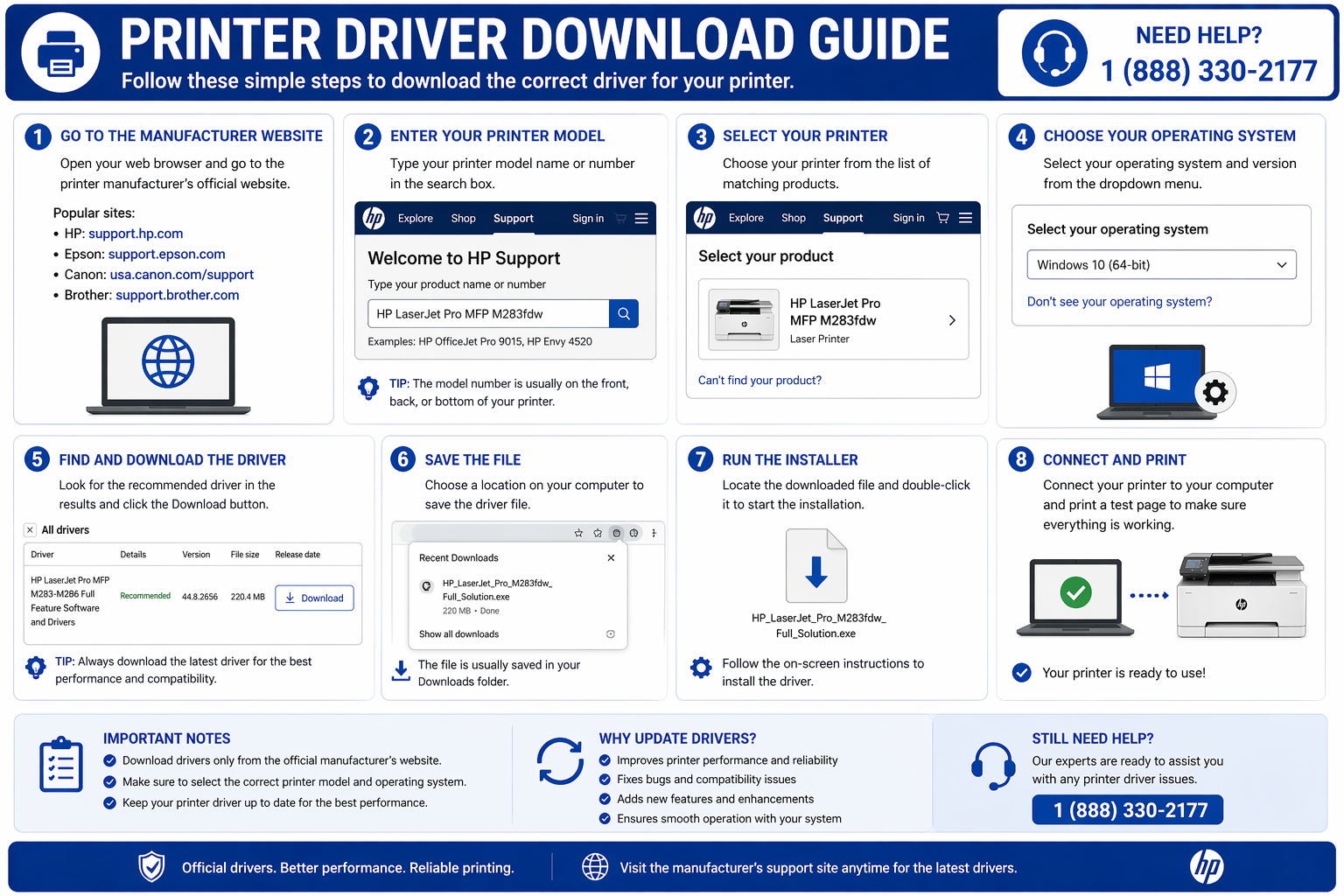
📌 Start Here
What is a Printer Driver?
A printer driver is software that acts as a translator between your computer and your printer. It converts the data from your applications into a language your printer understands, ensuring your documents print correctly.
Without the correct printer driver, your printer may not respond, print garbled text, or show errors like "printer offline" or "driver unavailable". Every printer manufacturer — HP, Canon, Epson, Brother, and others — requires specific drivers for each operating system (Windows, macOS).
For complete printer issue diagnosis, see our printer troubleshooting guide.
To get the correct files quickly, visit our printer driver download guide for all supported printer models.
Printer Driver Download → Installation → Troubleshooting Workflow
Follow this journey to get your printer working from start to finish:
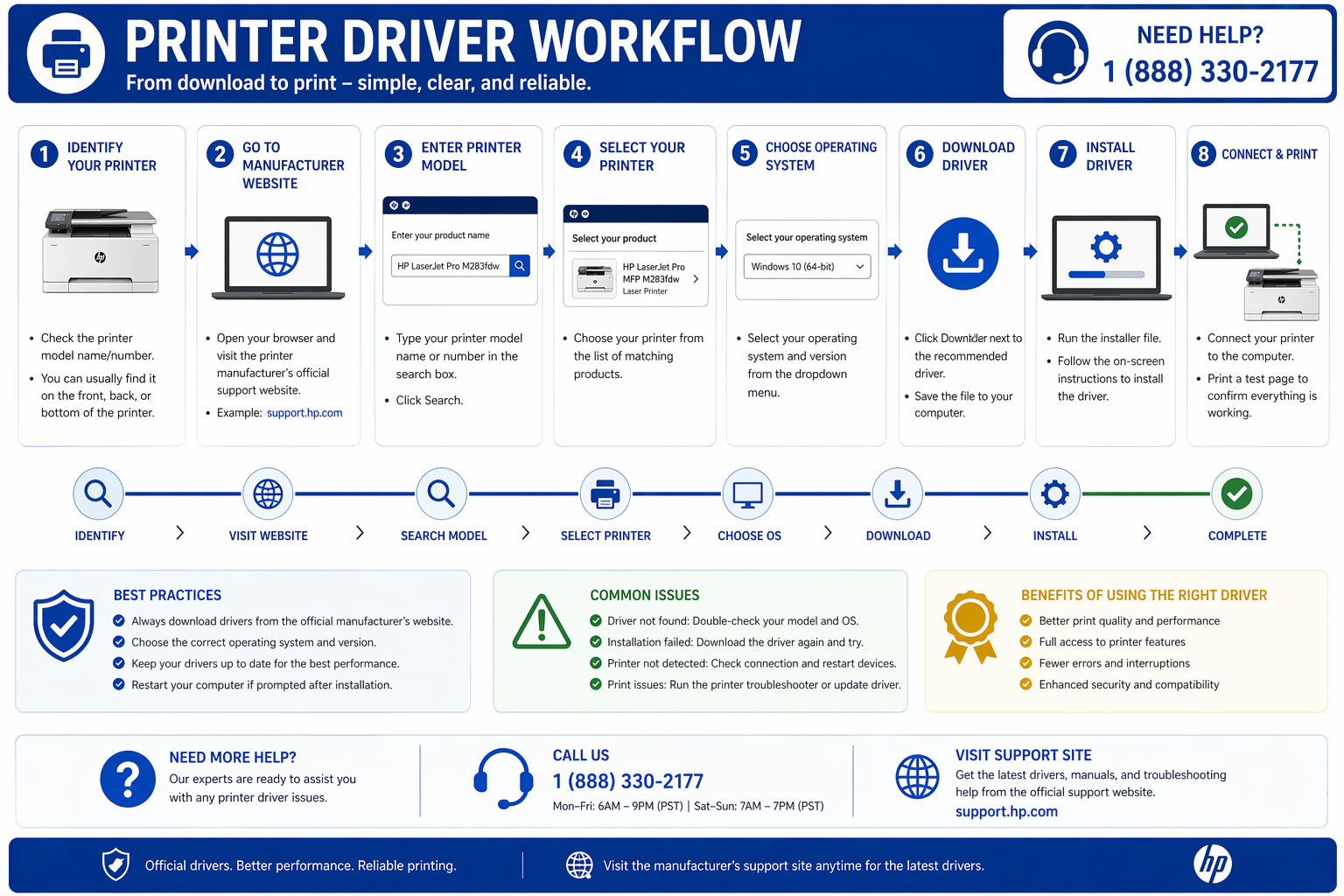
How to Download Printer Drivers (Windows & Mac)
There are three main ways to download printer drivers for your device:
- Manufacturer Website: Visit HP, Canon, Epson, or Brother support pages, enter your model, and download the official driver. Use our HP driver download page for HP printers.
- Operating System Built-in Tools: Windows Update and macOS Software Update often include basic drivers for many printers.
- Driver Management Tools: HP Smart, Canon IJ Printer Assistant, and similar apps automate driver downloads.
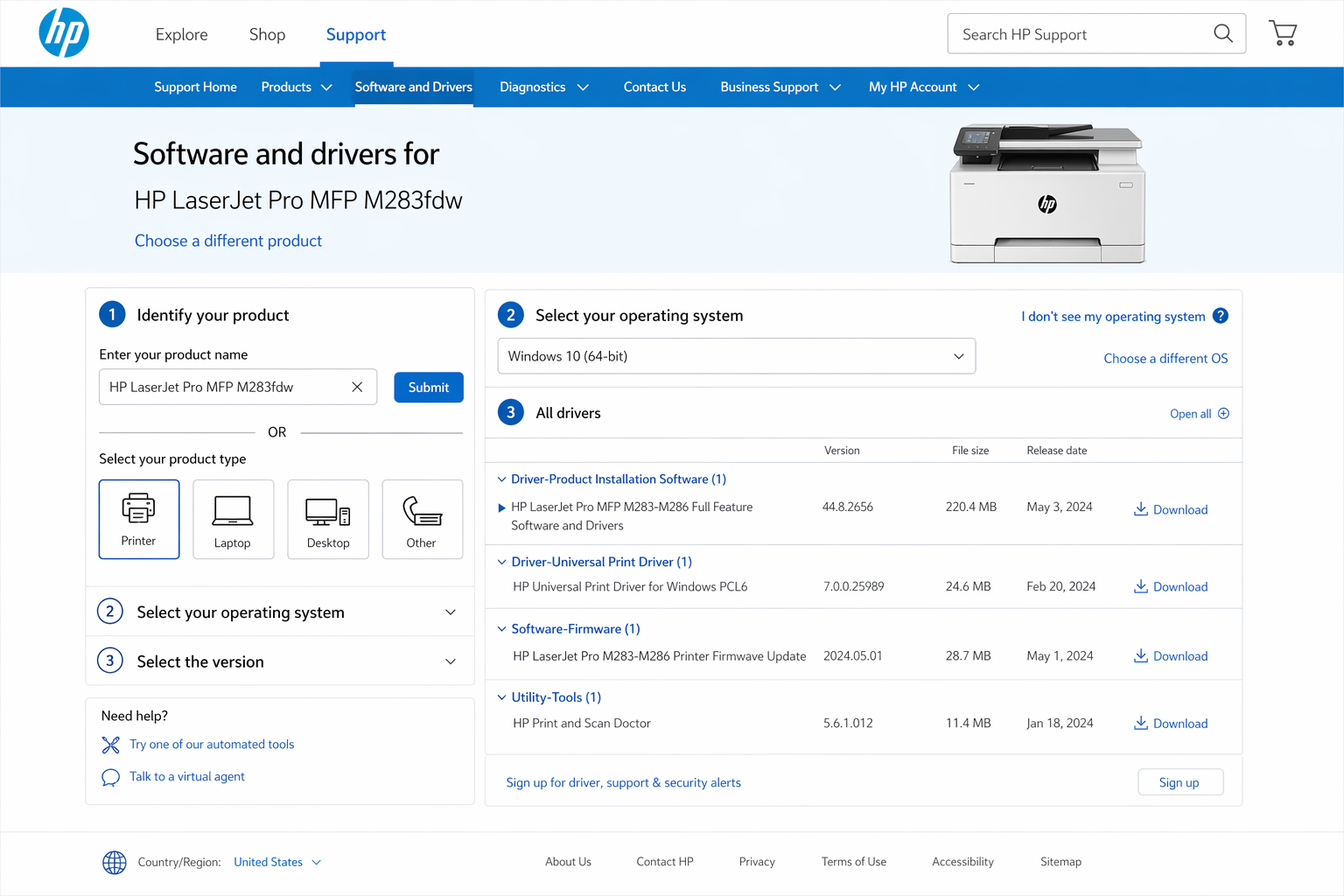
For complete step-by-step instructions, follow our full printer driver installation guide.
Common Printer Driver Problems & Fixes
Select your issue below to get targeted help. For a complete walkthrough, see our driver troubleshooting guide.
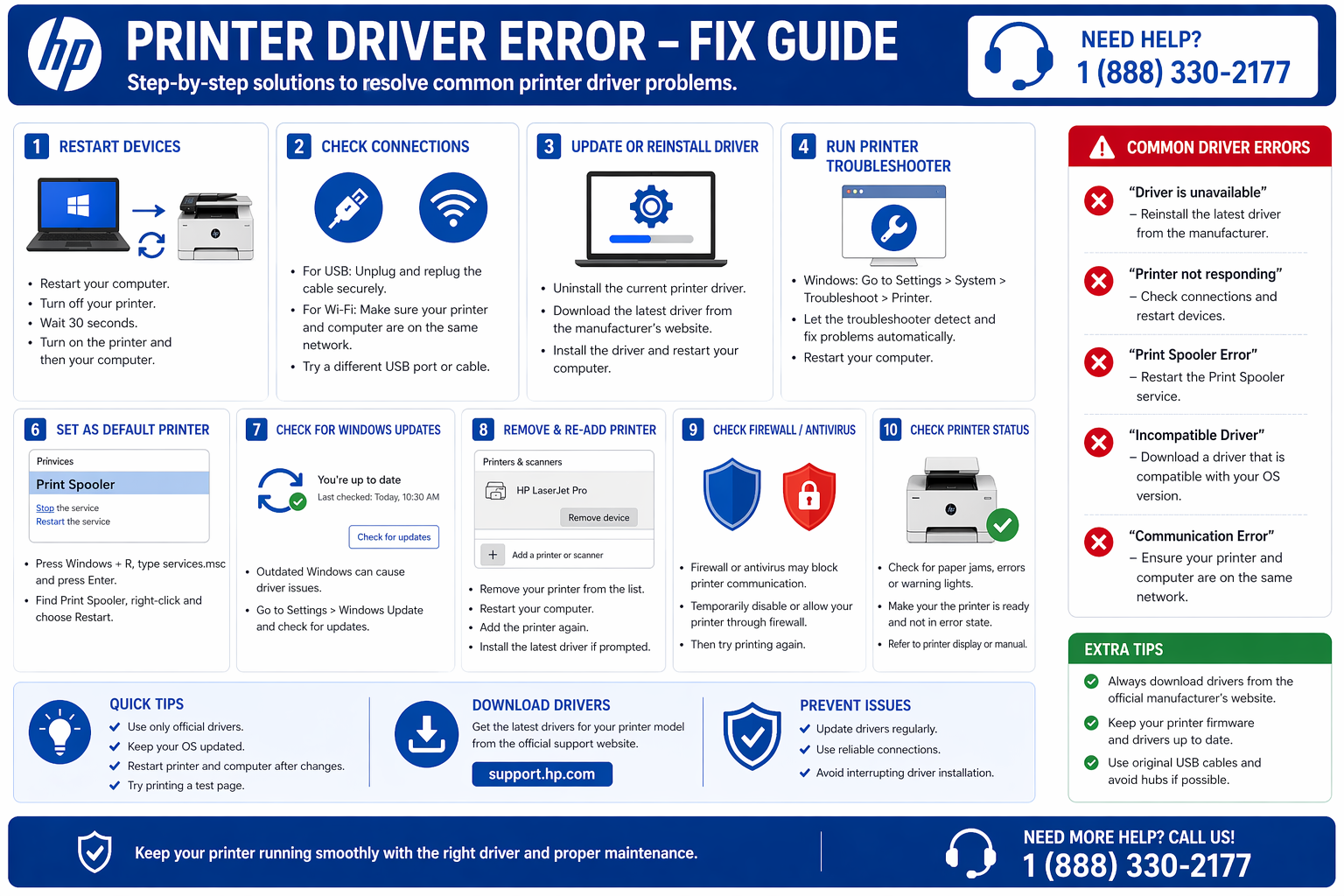
Driver Not Installing
Installation fails, stuck at 99%, or error messages appear.
Fix Installation Issues →Driver Unavailable
Windows can't find a driver or shows "driver unavailable" error.
Resolve Driver Unavailable →Printer Not Detected
Computer doesn't recognize your printer via USB or WiFi.
Fix Detection Issues →Printer Not Printing
Driver installed but printer won't print or shows offline.
Troubleshoot Printing →🔹 Most users are looking for HP drivers
Get official HP printer drivers for DeskJet, OfficeJet, Envy, LaserJet, and all other HP models. Tested on Windows 11/10 and macOS.
Go to HP Printer Driver Download🔧 Quick Driver Fix Tool
Still facing issues? Use the tool below to diagnose your driver problem instantly.
Types of Printer Drivers
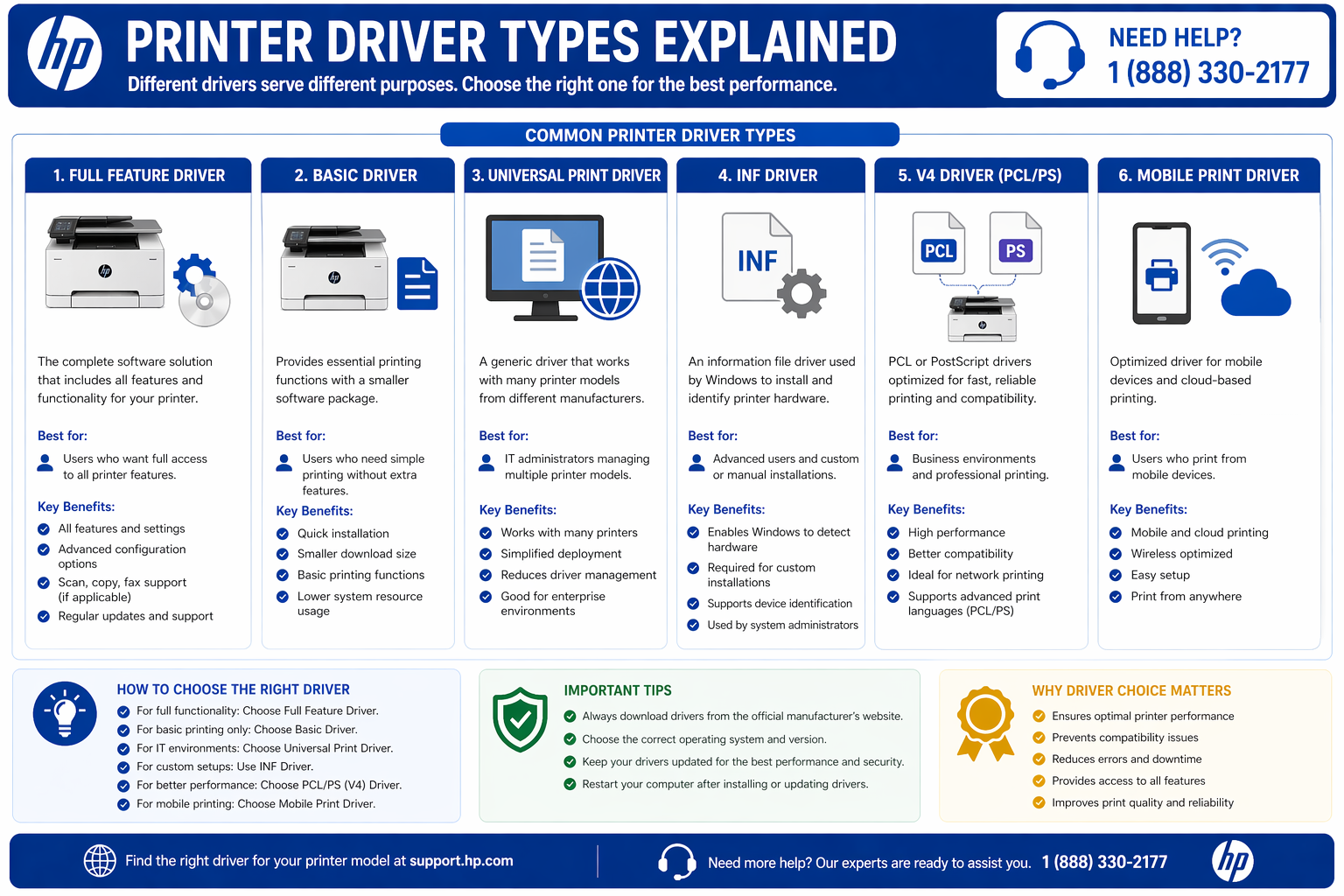
📄 Basic Driver
Minimal printing functionality, small download size.
🖨️ Full Feature Software
Includes scanning, maintenance, and advanced settings.
🌐 Universal Driver
Works across multiple printer models with core features.
📱 Mobile Driver
For printing from smartphones and tablets.
Frequently Asked Questions
How do I download a printer driver?
Visit your printer manufacturer's support website, enter your model number, select your operating system, and download the recommended driver. For HP, use our HP driver download page.
Why is my printer driver not installing?
Common causes: antivirus blocking the installer, incompatible OS version, or previous driver conflicts. See our driver troubleshooting guide.
How to fix "driver unavailable" error?
This usually means Windows cannot find a compatible driver. Try Windows Update, download from manufacturer website, or follow our driver unavailable fix.
Do I need a driver for my printer?
Yes. Most printers require a driver to communicate with your computer. Some modern printers support AirPrint or Mopria, but full features require manufacturer drivers.
Explore More Printer Resources
This guide is based on tested printer setup methods and real troubleshooting scenarios. Always download drivers from official manufacturer sources like HP, Canon, or Epson.