Printer Not Printing Color? 7 Powerful Fixes That Solve the Problem Fast
If your printer not printing color, it can be frustrating, especially when you need color documents or photos. Many users encounter a situation where their printer prints only black ink even though color cartridges are installed.
The issue usually occurs due to incorrect print settings, clogged printheads, empty cartridges, or driver problems. Fortunately, most printer not printing color problems can be fixed with simple troubleshooting steps.
This guide explains the most common causes of color printing problems and how to fix them quickly.
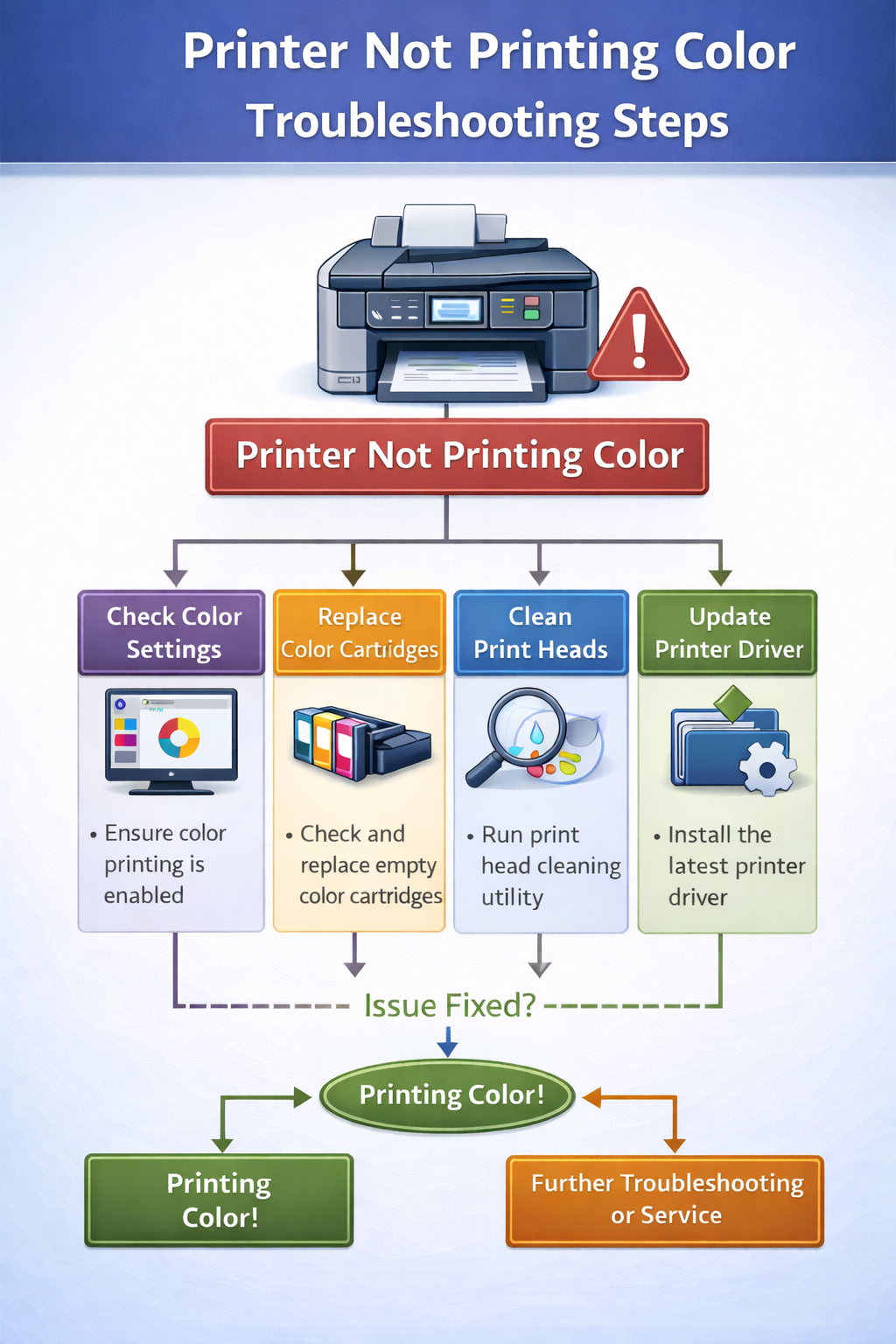
Why Is My Printer Not Printing Color?
When a printer not printing color, the problem typically originates from one of several technical issues. Modern printers rely on a combination of hardware components, software drivers, and ink systems to produce color prints.
One of the most common reasons for a printer not printing color is incorrect print settings. Many printers allow users to print in grayscale or black-only mode. When this setting is enabled, the printer disables color ink and prints only black text.
Another possible reason for a printer not printing color is empty or faulty color cartridges. Inkjet printers require cyan, magenta, and yellow cartridges to produce color prints. If one of these cartridges runs out of ink or is not installed correctly, the printer may stop printing color entirely.
Clogged printheads are another frequent cause. Inkjet printers spray microscopic droplets of ink through tiny nozzles. If the printer sits unused for long periods, the ink may dry and block the nozzles, preventing color ink from reaching the paper.
Driver problems may also cause a printer not printing color issue. Printer drivers act as a communication bridge between your computer and printer. If the driver becomes outdated or corrupted, the printer may not process color commands correctly.
Understanding these causes helps identify why a printer not printing color and allows you to apply the correct troubleshooting method.
Common Causes of Printer Not Printing Color
| Problem | Explanation | Fix |
|---|---|---|
| Empty color cartridge | Printer switches to black-only printing | Replace cartridge |
| Clogged printhead | Ink cannot flow through nozzles | Run cleaning cycle |
| Grayscale mode enabled | Printer ignores color ink | Disable grayscale |
| Driver problem | Computer cannot send color data | Update driver |
| Firmware error | Printer internal software glitch | Restart printer |
7 Fixes for Printer Not Printing Color
1. Check Printer Color Settings
Before troubleshooting hardware, check whether color printing is enabled.
Steps:
- Open Printer Settings
- Select Printer Preferences
- Locate the Color Options
- Disable Grayscale or Black & White Mode
If grayscale mode is enabled, your printer not printing color because the printer is intentionally restricted to black ink.
2. Check Ink or Toner Levels
Low or empty cartridges are one of the most common reasons a printer not printing color.
Check ink levels through:
- Printer display panel
- Printer software
- Printer utility application
Replace any empty cartridge to restore color printing.
3. Run Printhead Cleaning
Inkjet printers often experience clogged printheads. If your printer not printing color, running a cleaning cycle may restore ink flow.
Steps:
- Open Printer Maintenance
- Select Printhead Cleaning
- Run the cleaning process
- Print a test page
Sometimes you may need to run the cleaning cycle multiple times.
4. Print a Nozzle Check
A nozzle test shows whether each color is printing correctly.
If your printer not printing color, the test page may reveal missing cyan, magenta, or yellow blocks.
If blocks are missing, the printhead likely needs cleaning.
5. Reinstall Printer Drivers
Outdated drivers frequently cause a printer not printing color problem. Driver updates fix communication errors between the printer and operating system.
Steps:
- Remove the printer from your system
- Download the latest driver
- Reinstall the printer software
- Restart the computer
6. Reinstall Ink Cartridges
Sometimes cartridges are not seated properly. If the printer cannot detect a cartridge correctly, the printer not printing color.
Steps:
- Open the printer cartridge access door
- Remove the color cartridges
- Reinsert them securely
- Restart the printer
7. Restart the Printer
Restarting the printer can fix temporary system errors.
Steps:
- Turn off the printer
- Unplug it for 60 seconds
- Plug it back in
- Turn it on again
A restart resets internal firmware and often resolves a printer not printing color issue.
Printer Not Printing Color but Has Ink
Many users report that their printer not printing color but has ink installed. This situation usually indicates a clogged printhead, incorrect settings, or driver problems.
Running a nozzle test and cleaning cycle is the most effective solution. If the issue continues, reinstalling the printer driver can restore normal functionality.
A printer not printing color but has ink can also occur when the printer is configured to use black ink only. Checking the printer preferences can resolve this issue quickly.
Inkjet vs Laser Color Printing Problems
Inkjet Printers
Inkjet printers may stop printing color due to: dried ink, clogged nozzles, empty cartridges. These printers require occasional maintenance to keep ink flowing.
Laser Printers
Laser printers may stop printing color because of: toner cartridge issues, imaging drum problems, firmware errors. Laser printers generally require less frequent maintenance but rely on precise toner delivery.
How to Prevent Color Printing Problems
To prevent a printer not printing color, follow these best practices.
Print Regularly: Printing a color page every week keeps ink flowing through the printhead and prevents clogs.
Use Genuine Ink Cartridges: Compatible cartridges sometimes cause detection issues that lead to a printer not printing color.
Keep Firmware Updated: Firmware updates fix software bugs that may affect printing performance.
Clean the Printer Occasionally: Dust buildup can affect print quality and interfere with ink flow.
By maintaining the printer regularly, you can reduce the chances of experiencing a printer not printing color issue.
Frequently Asked Questions
Why is my printer only printing black and white?
Your printer may be set to grayscale mode or one of the color cartridges may be empty.
Why is my printer not printing color even with new cartridges?
This may happen due to clogged printheads or outdated printer drivers.
Can clogged printheads stop color printing?
Yes. Dried ink can block printhead nozzles and prevent color ink from reaching the paper.
Why is my printer not printing color from my computer?
The issue may be related to incorrect print settings or outdated drivers on your computer.
Official Printer Support Resources
If your printer not printing color after trying all steps, manufacturer support pages provide model‑specific help.
Final Thoughts
A printer not printing color problem is usually caused by simple issues such as incorrect settings, empty cartridges, or clogged printheads. Fortunately, most of these problems can be fixed quickly using the troubleshooting steps described in this guide.
By checking printer settings, maintaining ink cartridges, and updating printer drivers, you can restore color printing and prevent future problems.
If your printer not printing color even after trying these solutions, the issue may require deeper hardware diagnosis or professional printer support.
Related Printer Troubleshooting Guides
© All About Printers — independent printer guides