Printer Printing Lines? 9 Powerful Fixes to Remove Lines on Printed Pages
Printer printing lines on documents is a common problem that can affect both inkjet and laser printers. Instead of producing smooth text or images, the printer creates unwanted streaks, horizontal lines, or vertical lines across the page. This issue can make documents difficult to read and reduce overall print quality.
If your printer produces streaks when printing, the problem usually relates to clogged printheads, low ink or toner levels, dirty printer rollers, or worn printer components. Fortunately, most of these issues can be resolved with simple troubleshooting steps.
This guide explains why lines appearing on documents occur and how to fix the problem quickly using practical solutions.
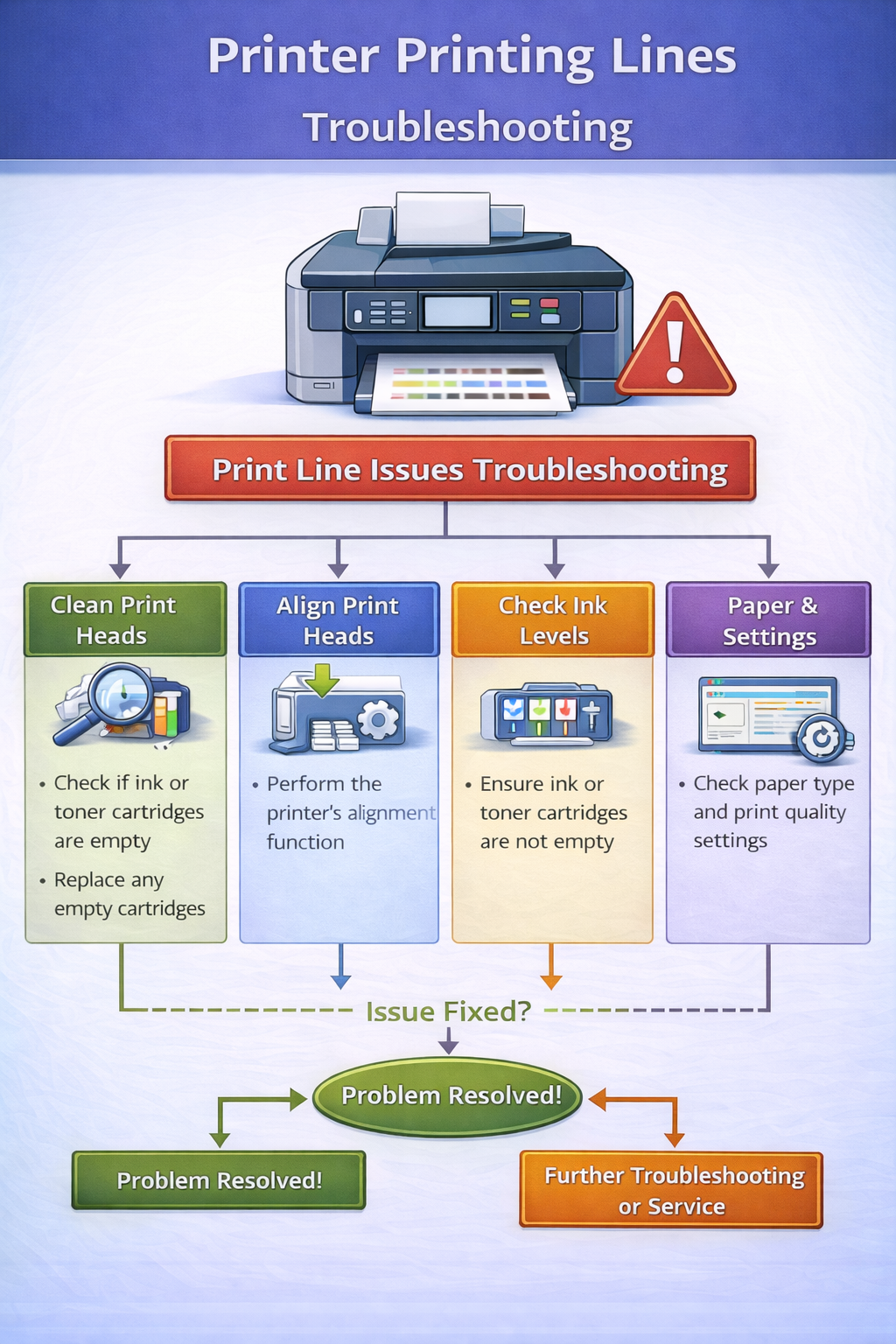
Why Printer Printing Lines Happens
When streaks when printing appear, it means something is interrupting the smooth transfer of ink or toner onto the paper. Printers rely on precise mechanical and electronic systems to produce clear prints. If any component fails or becomes dirty, lines on printed pages may appear.
Common causes of printing streaks include:
- clogged ink nozzles
- low ink or toner levels
- misaligned printheads
- dirty printer rollers
- worn drum units in laser printers
Understanding these causes helps identify the correct solution.
Printer technology and printing systems rely on software and hardware working together. https://en.wikipedia.org/wiki/Printer_(computing)
Types of Lines on Printed Pages
Different printing issues may produce different types of marks on your documents.
Horizontal Lines When Printing
Horizontal lines usually appear across the page and are often caused by clogged printheads or ink flow problems.
Vertical Lines on Printouts
Vertical lines may occur when laser printer drum units are damaged or when rollers accumulate debris.
Streaks When Printing
Streaks often occur when ink cartridges or toner cartridges are nearly empty.
Identifying the type of lines appearing on documents helps determine the correct fix.
How to Fix Lines on Printed Pages
Follow these troubleshooting steps to resolve printing streak problems.
1. Check Ink or Toner Levels
Low ink or toner levels often cause lines on printed pages.
Steps:
- Open printer software
- Check cartridge levels
- Replace empty cartridges
Fresh cartridges often restore print quality.
2. Run Printhead Cleaning
Inkjet printers may develop clogged nozzles when not used frequently. Running a cleaning cycle can remove dried ink and stop streaks when printing.
Steps:
- Open printer maintenance settings
- Select printhead cleaning
- Run the cleaning cycle
Repeat the process if necessary.
3. Align the Printhead
Misaligned printheads may cause uneven printing and lines on documents. Most printers include an alignment feature within maintenance tools. Running alignment may resolve printing streaks caused by positioning errors.
4. Clean Printer Rollers
Dirty rollers may cause uneven ink distribution. Cleaning rollers can improve paper movement and reduce horizontal lines when printing.
Steps:
- open the printer access panel
- locate the rollers
- wipe gently with a soft cloth
This may eliminate lines on printed pages caused by debris.
5. Replace Ink Cartridges
Old cartridges may fail to distribute ink evenly. Installing new cartridges often fixes persistent printing streaks.
6. Check Drum Unit (Laser Printers)
Laser printers use drum units to transfer toner onto paper. A damaged drum may cause vertical lines on printouts. Replacing the drum unit may fix lines appearing on documents in laser printers.
7. Update Printer Drivers
Outdated drivers may cause printing errors and poor print quality. Printer drivers act as translators between the computer and printer hardware.
Learn more about printer drivers here: https://en.wikipedia.org/wiki/Printer_driver
Updating drivers may resolve printing streaks caused by software issues.
8. Restart the Printer
Restarting the printer resets internal components and clears temporary errors.
Steps:
- Turn off the printer
- Unplug the power cable
- Wait 30 seconds
- Turn the printer back on
This simple step sometimes resolves lines on printed pages.
9. Print a Test Page
After troubleshooting, print a test page to confirm that the issue is resolved. If the test page prints clearly, the problem has been fixed.
Lines on Inkjet vs Laser Printers
Different printers experience printing issues for different reasons.
Inkjet Printers
Inkjet printers typically produce printing streaks when:
- ink dries in the nozzles
- cartridges are low
- printheads become clogged
Regular use helps prevent ink drying.
Laser Printers
Laser printers may produce vertical lines on printouts when:
- drum units become worn
- toner cartridges are empty
- fuser assemblies malfunction
Replacing toner cartridges often resolves laser printer line issues.
How to Prevent Lines When Printing
Preventive maintenance reduces the chances of encountering printing streaks.
Recommended practices include:
- printing regularly to prevent ink drying
- cleaning printheads periodically
- storing paper in dry environments
- replacing cartridges before they run out
Regular maintenance keeps printers operating smoothly.
Related Printer Troubleshooting Guides
If you experience other printing problems, these guides may help:
These troubleshooting guides help resolve common printer issues.
Frequently Asked Questions
Why is my printer printing lines on paper?
Lines on printed pages may occur due to clogged printheads, low ink levels, or dirty printer rollers.
How do I fix horizontal lines when printing?
Running a printhead cleaning cycle usually fixes horizontal lines.
Why does my laser printer print vertical lines?
Vertical lines may occur when the drum unit becomes worn or damaged.
Can low ink cause printing streaks?
Yes, low ink or toner levels often cause streaks and lines on printed pages.
Conclusion
A printer printing lines problem can affect both documents and images, but the issue is usually easy to fix. By cleaning printheads, replacing cartridges, updating drivers, and performing regular maintenance, users can restore normal printing quality.
Following the troubleshooting steps in this guide will help eliminate lines on printed pages and ensure clear printing results.
© All About Printers — independent printer guides